Universal Tv Remote-Cast to TV
Overview
The "Universal TV Remote" category is among the most competitive on the Play Store, as users seek to consolidate their home theater controls into a single mobile device. The Universal TV Remote Controller attempts to bridge the gap between legacy infrared (IR) technology and modern Wi-Fi-based smart TV controls.
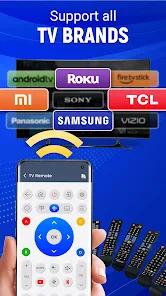
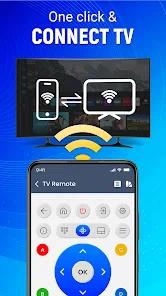
The application operates on a dual-infrastructure model. For older televisions, it utilizes the IR blaster found in some Android handsets to send traditional light-pulse commands. For modern "Smart TVs," it uses the local Wi-Fi network to communicate via proprietary protocols with brands like Samsung (Tizen), LG (webOS), and Roku.
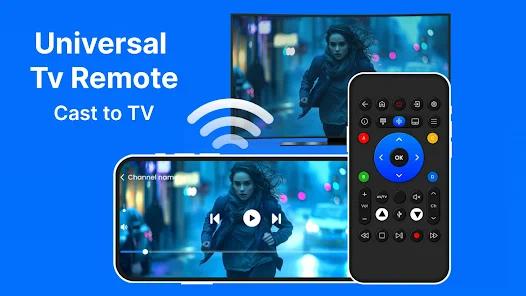
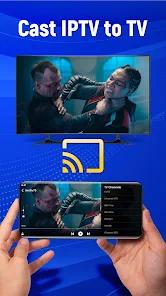
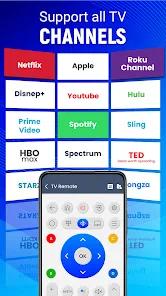
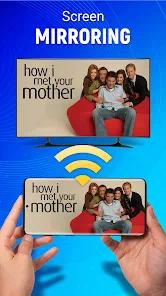
A major strategic value proposition of this app is the integration of a full QWERTY keyboard and a high-precision touchpad. Navigating streaming services like Netflix or YouTube on a smart TV using a standard physical D-pad is notoriously slow; this app allows users to type search queries and passwords directly from their phone, which is a significant quality-of-life improvement. Additionally, the app includes "Screen Mirroring" and "Cast To TV" functionalities, allowing users to project mobile photos and videos to the larger screen without additional hardware.
However, the "free" nature of the app is supported by an aggressive advertising model. Users frequently report full-screen video ads that appear when trying to access basic features like the volume slider or the channel list. This creates a friction-filled experience where the convenience of a free remote is balanced against the interruption of monetization, a common compromise in the utility software market.
Pros & Cons
Extensive Brand Compatibility: Supports almost all major manufacturers, including Samsung, LG, Sony, Vizio, Hisense, and TCL.
Dual Connectivity Modes: Functions as both a Wi-Fi remote and a traditional IR remote (on compatible hardware), making it versatile for mixed setups.
Integrated Keyboard Support: Drastically improves the speed of entering passwords and searching for content on streaming apps.
Built-in Media Casting: Allows for wireless transmission of mobile photos and videos to the TV screen without external dongles.
Voice Search Functionality: Integrates with Google Assistant or Alexa for hands-free control on supported smart TV models.
Gesture-Based Navigation: Users can swipe and tap on a virtual trackpad for more intuitive menu navigation than traditional buttons.
- ✕
Intrusive Ad Placement: Frequently triggers full-screen video ads during navigation, which can be disruptive during viewing.
- ✕
Occasional Pairing Drops: Like many third-party remotes, it can occasionally lose the Wi-Fi connection, requiring a manual re-scan.
- ✕
Feature Gating: Advanced tools such as ad removal and specialized AI assistant features are often locked behind a paid plan.
Download
 Get it on Google Play
  Get it on App Store
 FAQs
Do I need an IR blaster to use this?
Only for older, non-smart TVs. Modern smart TVs can be controlled over your home Wi-Fi network.
Does it work with Roku devices?
Yes, it includes specific layouts and controls optimized for Roku Streaming Players and Roku TVs.
Why can't I find my TV on the list?
Ensure both the TV and the phone are connected to the exact same Wi-Fi network and frequency (2.4GHz vs 5GHz).
Is my data encrypted?
The developer states they do not share data with third parties and use encryption for data in transit.
Can I cast YouTube from this app?
Yes, it supports casting media and mirroring your screen to the television via Wi-Fi.
Hot Reviews
Many users find this app to be an excellent backup for when the physical remote is lost or the batteries are dead, citing the quick setup as its greatest strength.
Reviewers consistently highlight that the ability to type on their phone keyboard to search for movies is infinitely better than using the on-screen TV keyboard.
A common complaint involves ads popping up exactly when the user is trying to adjust the volume or pause a show, leading to accidental clicks.