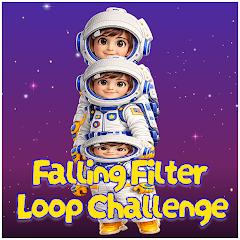
Falling Filter: Loop Challenge


Overview
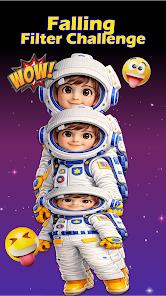
Falling Filter: Loop Challenge is a single-purpose camera filter utility designed to create short, trending videos for social media sharing. Developed around viral video challenges, the application utilizes the device's camera API and real-time graphics shaders to apply visual distortions directly to captured video frames. Its primary feature is the "Falling Filter," which splits, stacks, and loops specific frames of video. This creates a smooth visual loop where subjects or objects appear to collapse or drop continuously in an endless cycle.
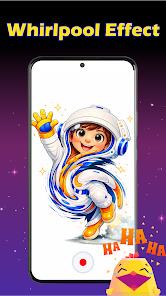
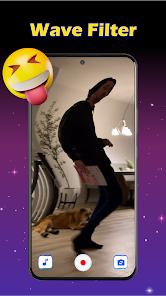
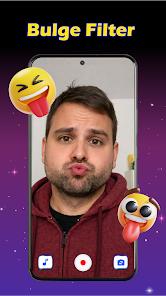
Alongside the loop filter, the app integrates other trending shaders. These include the Whirlpool Filter, which twists the screen into a spiral vortex; the Wave Filter, which simulates liquid movement and ripple distortions in real time; the Bulge Filter, which stretches facial features for comedic effect; and predictive templates like the 2026 Prediction Filter. These lightweight tools let users quickly produce eye-catching content for platforms like TikTok or Instagram without needing desktop editing software or manual keyframing. The app operates locally on the device, meaning users do not need to register an account or connect to a server to process their media.
However, the application's business model relies heavily on programmatic advertising networks. Because the underlying visual effects are mechanically simple and often available for free inside larger platforms, standalone utilities must monetize their user base quickly. This is achieved by embedding frequent full-screen video ads that trigger before accessing the camera view or during file exports. Additionally, while the app does not collect personal profiles, it shares device identifiers with third-party networks for targeted ads, which can impact the overall user experience.
Pros & Cons
Fast Local Frame Processing: Uses local graphics rendering to quickly apply visual distortions without needing server uploads.
No Account Required: Users can open the app and access the camera instantly without registration or social logins.
Multiple Shaders in One App: Packages several trending effects, including Whirlpool, Wave, and Bulge filters, into one utility.
Low Storage Footprint: A small application binary size minimizes storage usage on budget or older Android devices.
Simple One-Tap Controls: The direct interface requires no editing experience to record and save videos.
- ✕
Frequent and Intrusive Ads: Intrusive full-screen video ads trigger frequently, interrupting the recording and exporting workflow.
- ✕
Highly Redundant Functionality: Similar filters are already natively built into mainstream social media apps.
- ✕
Lacks Advanced Editing Tools: Offers no precise keyframing, multi-layer timelines, or fine-tuning controls.
- ✕
Ad-Network Data Sharing: Shares device and advertising identifiers with third-party networks for tracking.
Download
 Get it on Google Play
  Get it on App Store
 FAQs
How does the Falling Filter loop work?
The app captures the camera stream, slices the frames, and overlays them in a loop to simulate a continuous falling movement.
Does this application require an active internet connection?
Video rendering is processed locally offline; an internet connection is only used to retrieve advertisements.
Is there any physical risk to using the falling challenge filter?
No, all motion effects are completely simulated digital distortions rendered on screen, posing no risk to users.
Can completed videos be saved directly to the device?
Yes, rendered MP4 videos are exported directly to the device's local gallery for easy sharing to other platforms.
Why are there so many ads in the application?
As a free utility, the developers rely on programmatic ad networks to generate revenue and offset development costs.
Hot Reviews
Reviewers enjoy using the app to make funny videos of friends, noting that the looping fall and wave distortions produce amusing results.
Many users complain about the volume of ads, stating that dealing with full-screen ads before recording makes the app frustrating to use.
Users appreciate how easy the app is to navigate, allowing them to record, apply a filter, and save a video in just a few taps.