
Seesaw
Overview
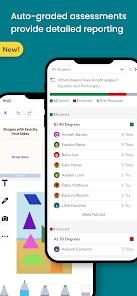
Seesaw is a student-driven digital portfolio and school communication platform developed by Seesaw Learning, Inc.. Unlike traditional learning management systems that focus on administration, grades, and structural layouts, Seesaw is built around the child. It is designed as a secure digital classroom space for students, especially in elementary and early childhood education (K-5), enabling them to document and share their learning journey.
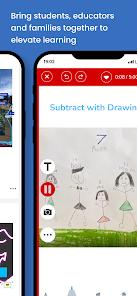
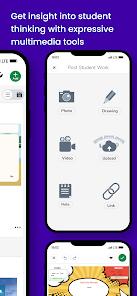
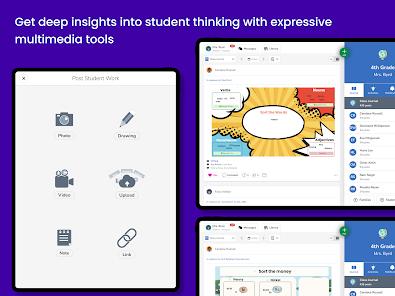
From a technical perspective, the platform integrates creative input tools with a teacher-moderated workflow. The app has updated its creative engine, adding advanced styling options for text labels—such as bold, italic, and underline options—while resolving bugs related to deleting recorded audio clips on custom canvas elements. The application packages multi-page audio tools, direct photo capture, dynamic canvas drawing, and video journals into a stable codebase.
These functions run within a secure directory, ensuring that student work and personal details are handled safely. All student uploads, peer responses, and parent comments are routed to a teacher approval queue before being published, preventing unauthorized sharing or data distribution.
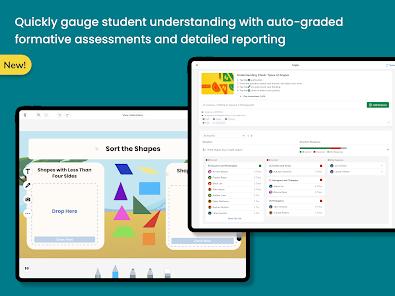
Seesaw emphasizes visual portfolios and creative agency. Its interface is styled like a secure social feed, which is more intuitive for young learners. Seesaw prioritizes academic work and student expression, and archives actual learning artifacts, making it a valuable tool for authentic formative assessment. It is built around learning and creativity.
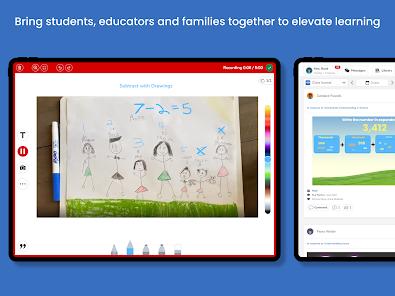
From a pedagogical perspective, Seesaw supports constructivist and multimodal learning. By encouraging students to voice their thinking—such as recording themselves explaining a math problem while drawing on the screen—Seesaw helps students develop metacognitive skills and allows teachers to assess understanding deeply. Integrating family support creates a positive loop that boosts student motivation and engagement.
Pros & Cons
Empowers Multimodal Expression: Drawing, typing, video, and voice tools allow students to show their learning process, making it highly effective for young learners.
Highly Visual, Intuitive Design: Designed with a clean, icon-based interface that is easy to navigate for pre-literate and early elementary students (K-5).
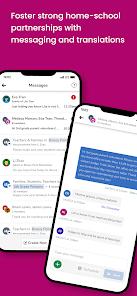
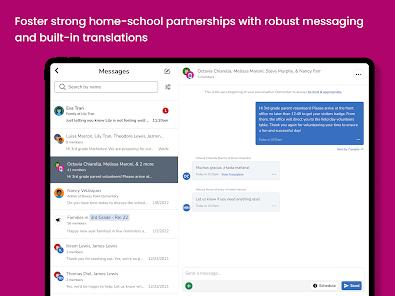
Exceptional Family Connection: Keeps parents connected by automatically sending real-time notifications and updates when their child posts new work.
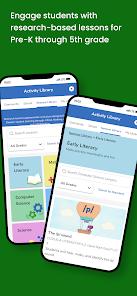
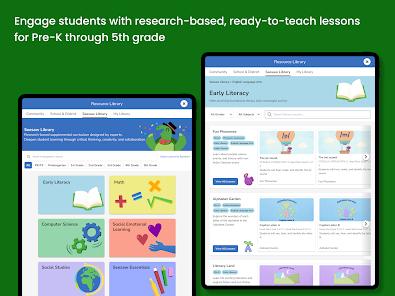
Expansive Curated Activity Library: Provides teachers with thousands of pre-made, standards-aligned lessons that can be customized and assigned easily.
Secure, Teacher-Moderated Environment: All student posts and family comments must be approved by the teacher before they are visible, ensuring a safe digital space.
Versatile Teacher Feedback Tools: Teachers can record audio responses, draw on submissions, or type comments, making feedback clear and supportive.
- ✕
Occasional Media Upload Latency: Uploading large video files or multi-page drawings can sometimes lag or time out on busy classroom Wi-Fi networks.
- ✕
Can Feel Complex for Multi-Grade Parents: Parents with children in multiple classes can sometimes find navigating different message feeds and portfolios slightly overwhelming.
- ✕
Paywalled Advanced Features: Access to multi-page posts, detailed grading rubrics, and long-term portfolio history requires a premium subscription.
Download


FAQs
How do students log in to Seesaw in the classroom?
Students do not need individual emails or passwords. Teachers can generate a secure classroom QR code; students simply open the app, scan the code with their device's camera, select their name from the class list, and begin working.
Can parents see other students' work in the class portfolio?
No. Seesaw is built with strict privacy controls. When parents connect, they can only see and comment on posts created by their own child, or joint projects where their child is explicitly tagged.
Can students use the application at home for remote learning?
Yes. Teachers can generate secure home-learning codes (QR codes or text codes). This allows students to sign in securely from home and submit assignments directly to their teacher on their mobile device.
Are student submissions moderated on Seesaw?
Yes. To ensure a safe learning environment, all student uploads, peer comments, and family feedback are held in a pending queue and must be approved by the teacher before they are visible in the feed.
How can media upload errors be resolved?
Upload errors are usually caused by a temporary drop in internet connection. To resolve this, ensure the device is close to the Wi-Fi router, close any background applications, or try reducing the length of video recordings.
Hot Reviews
As a parent, I absolutely love this app. Getting a notification during the day showing a video of my child reading or explaining their math project is wonderful. It gives me a clear, immediate look at what they are learning and makes dinner-time conversations about school so much more meaningful.
Seesaw is an indispensable tool in my elementary classroom. The drawing and voice-recording tools are so intuitive, allowing my students to showcase their work and explain their thinking easily. It makes authentic formative assessment simple and engaging.
The overall functionality is great, but we occasionally experience upload lag when students try to submit multi-page drawings or longer videos. On days when our school Wi-Fi is busy, several submissions can fail, requiring a complete restart.
I appreciate how safe and controlled this platform is. Knowing that every post and comment must be approved by me before it is visible keeps our digital classroom safe, supportive, and focused. It is a fantastic tool to introduce young kids to digital citizenship.