
ScratchJr
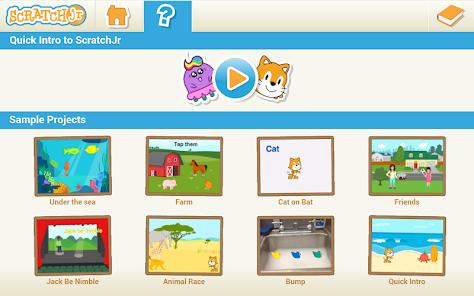
Overview
ScratchJr represents a significant milestone in early-childhood computer science education, translating complex programming concepts into an iconographic, developmentally appropriate medium designed for children aged five to seven. Developed through an academic collaboration involving the DevTech Research Group at Boston College (originally housed at Tufts University), the Lifelong Kindergarten Group at the MIT Media Lab, and the Playful Invention Company, the platform adapts constructive learning theories into mobile software engineering. The code implementation for the Android platform was led by Two Sigma, translating a highly visual, interactive canvas into an Android application.
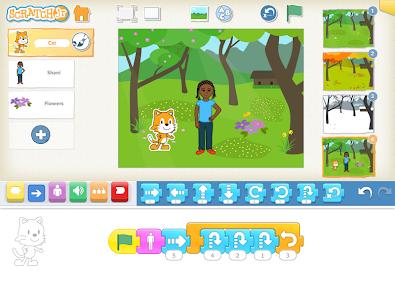
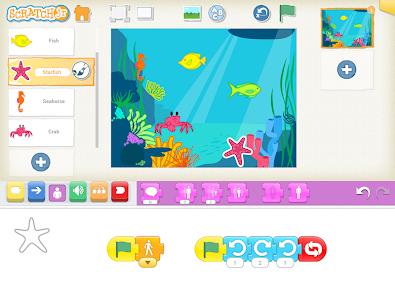
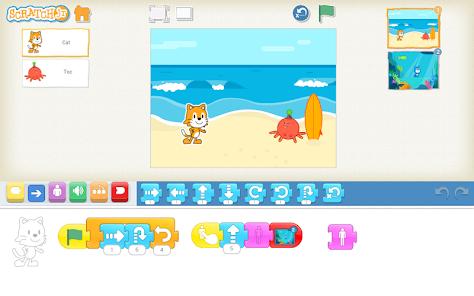
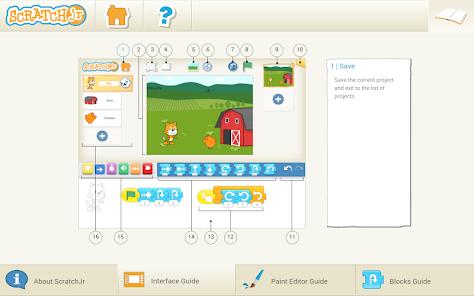
At the core of ScratchJr's design is the concept of coding as a modern form of literacy. Rather than treating programming as an analytical or purely math-heavy task, the platform encourages creative expression and logical sequencing. By simplifying the interface, the app allows pre-literate children to create interactive stories, games, and animations. Visual programming blocks snap together horizontally from left to right, mimicking the reading and writing orientation of Western languages.
By arranging these block sequences, children learn the core logic of computational thinking, such as sequential logic, debugging, and looping structures. Additionally, the app features a vector paint editor and a voice-recording tool, allowing children to customize characters, draw custom backdrops, and integrate personal photos, which bridges the gap between active logic and creative play.
The pedagogical model of ScratchJr relies on Seymour Papert’s constructionism, which posits that learning is most effective when children are actively engaged in building personally meaningful artifacts. To understand how the simplified ScratchJr framework compares to the standard Scratch platform designed for older children (ages eight and up), we can analyze their design choices across several key dimensions:
From a technical perspective, ScratchJr requires a tablet of 7 inches or larger running Android 4.2 (Jelly Bean) or higher. This device size requirement reflects an intentional design choice: the large touch targets needed for early childhood motor coordination are difficult to scale down to standard smartphone screens. On smaller displays, connecting blocks can become difficult, leading to touch errors that disrupt the child's focus on logic and learning.
Furthermore, running ScratchJr on Android can sometimes introduce unique device-level challenges. If the app fails to load, crashes on the splash screen, or freezes, it is often due to system-level conflicts with the Android System WebView or cached data mismatches. Administrators and educators can resolve these issues by ensuring that Chrome and Android System WebView are fully updated, clearing the application's local cache, and making sure the device has enough free storage to assemble dynamic visual assets at launch.
Pros & Cons
Strong Research Foundation: Developed by leading child-development and computer-science researchers, ensuring the interface matches early childhood developmental milestones.
Free and Ad-Free Access: The application is entirely free and contains no third-party advertisements, providing a safe learning environment without paywalls.
Encourages Active Learning: Focuses on creative, open-ended creation rather than passive game consumption, helping children learn to express themselves digitally.
Full Offline Functionality: The software operates entirely locally, making it an excellent resource for classrooms with limited or no internet access.
Personalized Media Tools: Features an interactive vector paint editor, voice recorder, and camera integration, allowing children to personalize their projects.
- ✕
Restrictive Device Compatibility: Formally restricted to tablet displays of 7 inches or larger, making the app inaccessible on standard smartphones.
- ✕
Simple Safety Controls: The gatekeeping verification in the parent and teacher portals relies on simple math equations (e.g., ), which are easily solved by older children.
- ✕
Clunky Vector Paint Tool: The drawing tool features a highly sensitive node-snapping logic that can automatically merge closely placed lines, which sometimes frustrates young artists.
- ✕
No Sprite Cloning Support: The lack of a true object cloning feature means users must manually duplicate characters and recreate their scripts, which limits more advanced game designs.
Download
 Get it on Google Play
  Get it on App Store
 FAQs
Can ScratchJr be installed on a standard Android smartphone?
The official release is optimized for tablet devices of 7 inches or larger running Android 4.2 or above. While it can be sideloaded on some smartphones, the touch targets and canvas coordinates are highly compressed, which can make connecting blocks difficult and impact usability.
What should I do if ScratchJr freezes or fails to load past the splash screen on Android?
This issue is commonly caused by corrupted cached data, low system storage, or outdated system rendering tools. You can resolve it by updating the Android System WebView and Google Chrome via the Play Store, clearing the app's cache in your device settings, and ensuring there is enough free storage space.
Does ScratchJr require an active internet connection to run?
ScratchJr does not require internet connectivity to create, edit, or play projects. Internet access is only needed to download resources from the educator portal or to share projects via email.
How does ScratchJr accommodate pre-literate children who cannot yet read?
The app replaces all textual code commands with color-coded, iconic block shapes that use simple symbols, such as directional arrows. This design allows pre-literate children to build logical sequences and explore computational thinking without reading barriers.
Is project progress saved automatically, or can it be lost if the app closes?
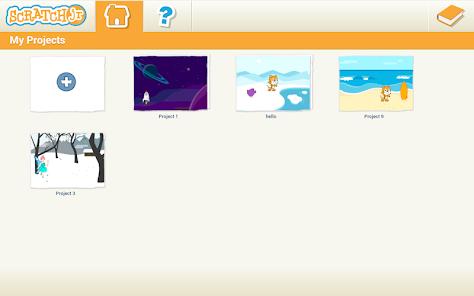
ScratchJr automatically saves active projects to the device's local storage whenever a user exits to the home screen. However, clearing the app's data (as opposed to just the cache) will permanently delete all stored student projects unless they have been backed up.
Hot Reviews
The pairing of the companion guide book with the application provides an excellent hands-on learning experience, making it easy for young children to understand early programming concepts.
The app makes visual programming approachable, allowing children to quickly transition from simple block mechanics to designing interactive, multi-layered stories.
The visual targets are difficult to navigate on smaller screens, and the lack of official mobile support restricts access for families who do not own tablets.
The drawing tool's automatic line-merging behavior is overly sensitive, making it difficult for children to draw detailed vector assets without unintended lines snapping together.