
Khan Academy
A genuinely free, ad-free nonprofit education library with a mastery engine most paid apps would envy — just know the mobile app is the study companion, not the full classroom, and it leans on the desktop web portal for teacher tools, coding, and forums.
- Self-directed learners and students who want a serious, no-cost curriculum from early grades through post-grad, with exam prep for the SAT, MCAT, GMAT, and board exams
- Anyone who values an ad-free, privacy-conscious app that works offline and syncs progress across phone, tablet, and school computer
- Teachers who need full class management — creating assignments and tracking student progress — from their phone rather than a desktop
- Very young readers who need audio read-aloud, or learners who want gamified badges, streaks, and clear completion checkmarks to stay motivated


Overview
The verdict up front
Khan Academy is the rare “free” app where free means exactly what you hope it does: no ads, no paywalls, no premium tier quietly waiting to fence off the good material once you’re invested. It is a 501(c)(3) nonprofit funded by philanthropy and institutional partnerships, and that model is the whole reason the app can hand a student in a remote village the same multivariate calculus course it hands one in a well-resourced suburb. The honest catch is that the mobile app is deliberately the lighter half of Khan Academy: teacher tools, coding playgrounds, and discussion forums live on the desktop web portal, and a few small omissions — no read-aloud, no completion checkmarks — nag at exactly the users who’d benefit most. For a self-directed learner it’s an easy recommendation; for a teacher trying to run a class from a phone, it’s the wrong device.
What “completely free” actually buys you here
Start with the money question, because it’s the thing Khan Academy gets most unambiguously right and most of its category gets wrong. The app has no paywalls, no user-facing ads, no subscription tiers, and no gated courses — the FAQ states it plainly: fully free, globally, with no premium tier and nothing locked. That is not the norm. The dominant model in the education aisle is either a subscription that fences off the parts that matter or a free tier stuffed with ads that funds itself off a captive audience of students. Khan Academy runs on donations and partnerships instead, and the practical effect is access equity: the barrier to the entire library is a download, not a credit card. One precision, though: free buys the complete self-study experience, but not the collaborative and instructor-facing layer on mobile.
The breadth is the real headline
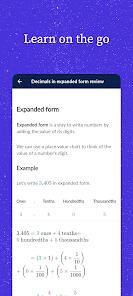
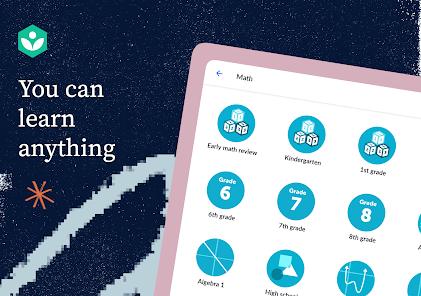
The curriculum is the reason people come back for years. On the math side alone it runs from counting through multivariate calculus — early arithmetic to college-level work in one continuous library. Around that sit biology, chemistry, physics, economics, finance, humanities, and grammar, spanning class 1 through post-graduate. This isn’t a narrow app that does one subject well; it’s a general-purpose education platform that happens to be free.
Two things make that breadth more than a long list. First, the content is localized and aligned: it’s translated into 30-plus languages and mapped to curricular systems including NCERT and CBSE in India and Common Core in the US, so a student can find material that matches what their school actually teaches. Second, there’s real exam-prep depth on top — specialized preparation for the SAT, MCAT, and GMAT, plus regional board exams. That combination of a foundational K-12 curriculum and serious test prep under one free roof is hard to find elsewhere without stacking two or three paid subscriptions.
The mastery engine, and why it stands out
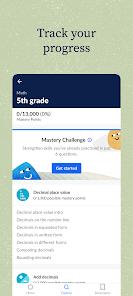
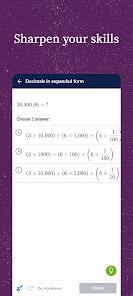
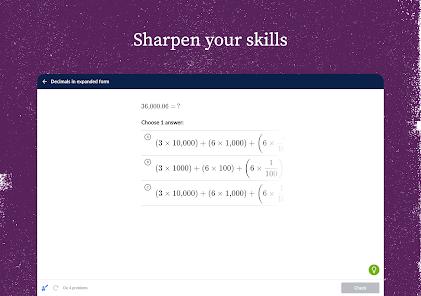
If breadth is the headline, the mastery-learning engine is the reason the studying works. Rather than just serving videos, the app evaluates your proficiency, generates personalized exercises targeted at your weak spots, and gives immediate feedback with step-by-step hints and worked graphical solutions when you get something wrong. That’s the scaffolding that separates real practice from passive watching — you’re pushed to demonstrate a concept, not just watch it explained.
This is exactly what shows up in reviews from the people who use it hardest. The praise that recurs is for the pedagogy: one reviewer calls the explanations effective for “adults returning to school or students with dyscalculia” precisely because the app “focuses on underlying concepts, not memorization.” That’s a telling audience — returning adult learners and students who find conventional math instruction punishing are the users least served by rote flashcard apps, and they’re the ones singling this out.
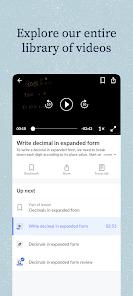
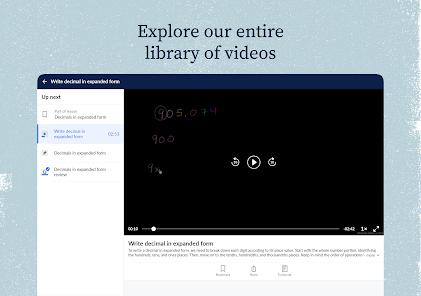
Two supporting features round it out. Offline downloads let you pull video and text lessons down via a download icon, manage them in-app, and remove them to free storage, so a shaky or absent connection doesn’t end the study session. And cross-device sync ties it together: progress, mastery points, and activity logs sync automatically between the app and the desktop, with native Google Classroom integration on top. Reviewers confirm it works, singling out reliable syncing as they move between phone, tablet, and school computer without losing progress.
The mobile-versus-desktop gap, stated plainly
Here’s the caveat that most shapes who this app is for. The mobile app does not have parity with Khan Academy’s desktop web portal, and the omissions are specific. There are no collaborative classroom discussion forums. There are no comprehensive coding playgrounds — the programming modules that are a real part of the desktop experience simply aren’t here. And several advanced teacher diagnostic and assignment tools are absent: the FAQ is explicit that while students can view and complete homework on mobile, teachers must use the desktop to create assignments and track progress.
To be fair, it’s a reasonable design choice to make the phone the study companion and the desktop the command center, and most students only ever need the study side. But it means the app can’t be judged as the whole of Khan Academy, and it lands hardest on educators: a teacher who assumes they can run their class from the mobile app will hit a wall the first time they try to build an assignment. That’s a scope decision more than a bug, but one worth knowing before you rely on it.
The rough edges
Beyond the desktop gap, a few smaller frictions come up repeatedly, clustering around accessibility and progress-tracking. The most requested missing piece is text-to-speech: there’s no integrated audio reader, and reviewers note the reading level of some material can be challenging for younger learners. For an app that reaches down to early grades, the absence of read-aloud is a real accessibility gap for the youngest users.
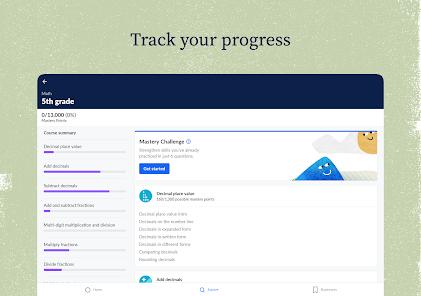
The second recurring complaint is about visible progress. The learning pathway is well-designed, but it lacks clear completion indicators — no obvious checkmarks to mark what you’ve finished. Across a long course, that makes it hard to see how far you’ve come, and reviewers ask for it directly. Finally, the interface can feel slow or unoptimized on Chromebook and ChromeOS hardware — worth flagging given how many schools issue exactly those devices. None of these are dealbreakers for a motivated learner, but they’re honest limitations, and users keep asking for the same things: read-aloud, completion markers, reliable sync.
How it compares
The most useful comparison is the category itself. Set against commercial EdTech, Khan Academy’s distinction is structural: where subscription platforms lock their best material behind a monthly fee and ad-supported learning apps monetize a captive student audience, Khan Academy charges nothing and shows nothing, funded by donations rather than the user. On price and access, essentially nothing in the mainstream category competes. On specific features, plenty do — a paid platform may offer the teacher dashboards, gamified streaks, or read-aloud Khan’s mobile app lacks. The trade is straightforward: give up some conveniences, get a free, ad-free, privacy-conscious library in return. The other comparison is internal — the app for portable, offline self-study, the desktop for coding playgrounds, forums, and the full teacher toolkit.
Recency and reputation
This is a mature, heavily used, actively maintained app, not a project coasting on old goodwill. The Play Store listing was updated February 25, 2026, and Khan Academy carries a 4.2 rating across roughly 156,000 ratings with 10M-plus installs and 11 screenshots. A score that steady across that many ratings reflects sustained trust rather than a launch spike, and the recurring review themes — strong conceptual teaching, requests for text-to-speech and completion markers, reliable syncing — line up closely with what the developer describes.
Our take
Khan Academy earns a clear recommendation, and a 4.3 feels right to us. What it does well is close to unmatched in its category: a genuinely free, ad-free curriculum of extraordinary breadth, a mastery engine that teaches rather than merely tests, and offline, cross-device access that survives a bad connection and a change of screens. That its funding model exists to remove access barriers, and actually does, makes it matter beyond its feature list. We hold back the last fraction honestly, because the limitations are specific and real: the mobile app hands off its teacher tools, coding playgrounds, and forums to the desktop, there’s no read-aloud for the young readers who need it, no completion checkmarks to track long courses, and the interface can drag on the very Chromebooks so many schools rely on. Those are scope and polish gaps, not signs of a weak product. If you’re a self-directed learner or student who wants a serious, no-cost education that travels with you, it’s an easy yes. If you’re a teacher who needs to run a class from your phone, a parent of a pre-reader who needs audio, or someone who stays motivated by badges and streaks, this app — on mobile, at least — is built for a different kind of learning than you’re after.
How We Evaluate
We did not hands-on test this app. This review is built from Khan Academy's own Play Store listing and description, its stated feature set (the personalized mastery-learning engine, offline downloads, native Google Classroom sync, and cross-device progress syncing), the developer FAQ on its nonprofit funding, offline management, and the mobile-versus-desktop feature split, its current store rating and install figures, published user reviews, and the app's well-established public reputation as a free 501(c)(3) education platform. Where we describe strengths or friction — the missing text-to-speech, the absent completion markers, the Chromebook performance — we're reflecting recurring themes in the store material and user reviews rather than our own study sessions.
Pros & Cons
Completely Free and Ad-Free Resource: The non-profit model provides unrestricted access to all educational content without subscriptions or ads.
Comprehensive K-12 Curriculum Coverage: Extensive coursework spanning mathematics, physical sciences, economics, grammar, and history.
Dynamic Mastery Tracking Engine: The diagnostic algorithm evaluates study habits to suggest personalized lessons.
Robust Offline Offline Functionality: Users can download video and text lessons locally, enabling continuous study in areas without internet.
Immediate Practice Scaffolding: Practice questions provide immediate feedback, graphical solutions, and step-by-step written hints.
Broad Global Curricular Alignment: Educational content is translated into over 36 languages and mapped to systems like NCERT/CBSE and Common Core.
Safe Data Practices: Complies with strict privacy standards and prevents student information from being shared with third parties.
- ✕
Lacks Parity with Web Portal Features: Omit collaborative discussions, programming modules, and detailed teacher interfaces.
- ✕
Limited Text-to-Speech Accessibility Integration: Lacks an integrated audio reader for younger students who struggle to read practice questions.
- ✕
Inadequate Course Completion Visual Markers: The app layout does not display clear completion icons or checkmarks on main course directories.
- ✕
Interface Layout Issues on Chromebooks: The UI can feel slow and unoptimized on standard educational ChromeOS hardware.
Download
 Get it on Google Play
  Get it on App Store
 FAQs
Is Khan Academy completely free to use globally?
Yes, Khan Academy is a registered 501(c)(3) non-profit organization. The mobile application features no premium tiers, locked courses, or advertisement insertions.
Can teachers manage and monitor classroom coursework through the Android app?
While students can view and complete their homework assignments on the mobile app, teachers must use the desktop portal to create assignments and track student progress.
Does the mobile application support study preparation for standardized exams?
Yes, the application provides specialized prep courses for major academic and entrance exams, including SAT, MCAT, GMAT, and regional board exams.
How are offline learning downloads handled by the application storage?
Students can download video lectures and written articles by tapping the download icon on individual course screens. Downloaded files are managed inside the app and can be removed to free up storage space.
Does Khan Academy synchronize learning progress across different platforms?
Yes, user progress, mastery points, and activity logs sync automatically when logging into a free account on the app or desktop portal.
Hot Reviews
The app is highly valuable for adults returning to school or students with dyscalculia. Explanations focus on underlying math concepts rather than simple memorization.
The reading level required for some science and math activities can be challenging for young learners. Integrating a text-to-speech button would help children study independently.
The learning pathway is well-designed, but the app lacks clear completion indicators. Adding visible checkmarks to completed levels would make progress tracking easier.
The cross-platform synchronization works well. Students can easily switch between their phone, tablet, and school computer without losing their learning progress.