
Kahoot! Play & Create Quizzes

Overview
Kahoot! is a gamified learning platform developed by Kahoot! AS. Designed to turn formative assessment into an interactive game-show experience, the application allows users to create, host, and participate in multiple-choice quizzes, surveys, and vocabulary drills. The target audience is highly diverse, ranging from K-12 and university educators aiming to boost classroom engagement to corporate trainers running remote workshops, and families hosting trivia events.
During live games, Kahoot! uses persistent WebSocket connections to transmit student responses to the host's session, enabling immediate updates to the leaderboard. The codebase is optimized to handle high-frequency concurrent requests, which is essential for school environments where dozens of devices connect to a single Wi-Fi router.
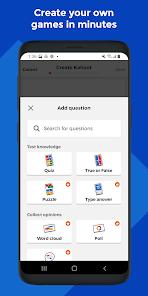
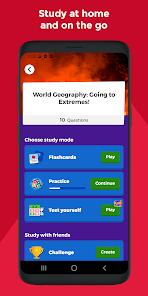
The build size of the client is approximately 128.4 MB, packaging various asset files to support rich animations, sounds, and graphics. The mobile-friendly editor allows creators to write questions, set timers, and search for license-free images. Additionally, the app features self-paced challenges for homework, structured flashcard study modes, and an AI-powered generator that creates questions from text files or topics.
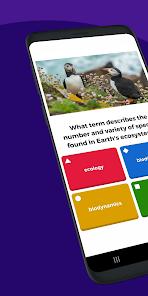
Kahoot! features a distinct interactive design. Live games in Kahoot! usually require players to look up at a shared screen to read the question and options, then look down at their mobile device to tap the corresponding color and shape icon. This split-screen model encourages group interaction and focus. It prioritizes rapid peer competition and instant feedback. While tools like Socrative Student are designed for clean, formal quizzes (such as exit tickets) without playful visual distractions, Kahoot! embraces animations, customizable avatars, and high-energy music to maintain student attention.
From a pedagogical perspective, Kahoot! uses gamification to encourage active retrieval. The combination of music, timers, and point rewards stimulates concentration and aids memory retention. However, educators must balance the competitive format with the needs of reflective learners who may feel rushed by the quick response times. To address this, the application includes untimed practice modes, allowing students to study key concepts in a more relaxed environment.
Pros & Cons
High Classroom Engagement: Captures and holds student attention through vibrant visuals, energetic lobby music, and instant leaderboard feedback.
Intuitive Quiz Creator: The mobile-friendly editor makes it easy for teachers and students to build custom trivia games, set timers, and add media on the go.
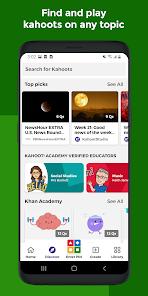
Massive Public Library: Provides access to a shared repository of millions of pre-made quizzes across various academic subjects and educational themes.
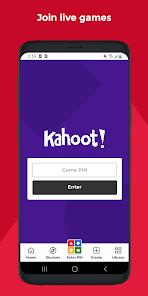
Simple, Registration-Free Entry: Students can join live games quickly by entering a room PIN, with no registration or email account required.
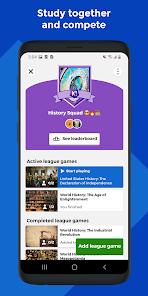
Structured Self-Study Modes: Offers comprehensive flashcards, practice tests, and study leagues, enabling students to review concepts independently.
Saves Preparation Time: The integrated AI generator helps teachers quickly draft structured quizzes from a simple topic description or uploaded text.
- ✕
Fast Pacing Can Stress Some Learners: The speed-based point system can occasionally frustrate students who need more time to process questions.
- ✕
Premium Features Behind Paywalls: Access to advanced question types (like open-ended typing, puzzles, and sliding scales) requires an expensive subscription plan.
- ✕
High Dependency on Network Speed: Smooth live gameplay requires a fast, stable internet connection; lag can cause missed inputs and disrupt the competitive flow.
Download


FAQs
Do students need an account to join a Kahoot! session?
No, students do not need to register. They simply open the app, tap the "Enter PIN" button, type the host's 6-to-8 digit code, enter a nickname, and begin playing.
Can a live game be hosted directly from an Android device?
Yes. After logging into the app, hosts can select any quiz from their library, tap "Host Live," and present the game screen using cast devices or connected screens.
What is the main difference between a live game and a challenge?
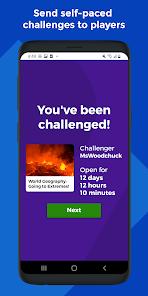
A live game is hosted in real time for a synchronous group. A challenge is a self-paced link assigned by a teacher, allowing students to read questions and select answers on their own devices before a set deadline.
Can quizzes be created in the app when offline?
Yes, users can write questions and draft quizzes offline within the app's editor. However, an active internet connection is required to save progress to the cloud library or search for public images and video clips.
Is there a player limit for hosted live games?
Yes, the maximum number of participants is determined by the host's subscription plan. Free accounts have basic limits, while premium tiers allow hosting larger groups and accessing more game modes.
Hot Reviews
Using this tool for exam reviews in high school biology has significantly increased student participation. The competitive format and live leaderboards keep students focused on the material, and the dynamic energy turns standard test prep into an active classroom event.
Creating custom Kahoots on a phone is quick and straightforward. The flashcards and practice modes are highly beneficial for studying vocabulary and key terms before exams. It makes study sessions feel less tedious and helps track progress.
While the core app is highly engaging, many advanced formats—like typed answers and multi-stage puzzles—are locked behind premium plans. The cost of individual teacher subscriptions can be high, making the free version feel somewhat limited.
The app's design is excellent, but performance depends heavily on internet speed. A slight drop in Wi-Fi signal can cause input delays, meaning answers are submitted too late, which can be frustrating for competitive students.