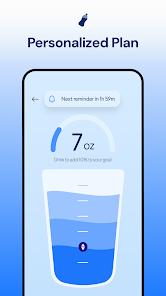
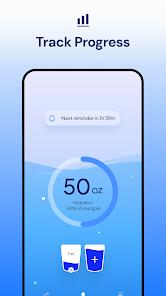
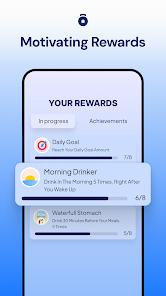
My Water Tracker & Reminder is a comprehensive health and fitness application designed to combat the prevalent issue of chronic dehydration through a blend of automated scheduling and user-friendly tracking. With over 1 million downloads and a strong 4.7-star rating, the app positions itself as a personalized "hydration coach" that adapts to the specific physiological needs of the user. It allows users to set daily targets based on factors such as weight, gender, current weather, and physical activity levels, ensuring that hydration is tailored to actual bodily demands rather than generic standards.
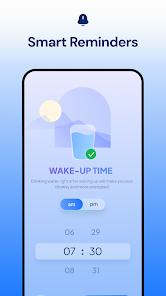
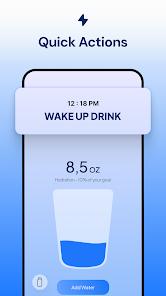
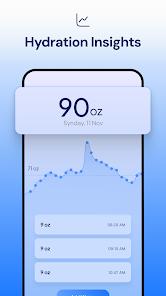
A deep feature breakdown reveals the app's focus on consistency. It utilizes a "Smart Water Reminder" system that learns a user's routine and provides gentle nudges to drink water throughout the day, automatically pausing during sleep to prevent unnecessary interruptions. The application supports the tracking of a wide range of beverages—including coffee, tea, juice, and milk—and adjusts the "hydration credit" of each based on their diuretic properties. For example, the app takes into account how caffeine affects hydration levels depending on the frequency of consumption. For those practicing intermittent fasting or dedicated "water fasts," the app provides specialized support to help maintain accountability without dietary distractions. And the analytics shows your daily, weekly, and monthly history charts with progress streaks. More advanced tools include cloud backup and multi-device sync.
Insightful observations regarding the app's impact show that users who enable reminders 11 times a day reach their goals 80% more often than those relying on memory alone. The app also emphasizes physiological benefits, such as weight management (by promoting fullness), glowing skin, and reduced headaches. Technical integration is a core component, as the app syncs flawlessly with Google Fit and Samsung Health, and offers a dedicated Wear OS companion for one-tap logging directly from a smartwatch.
Pros
Personalized hydration goals based on weight, activity, and climate ensure physiological accuracy.
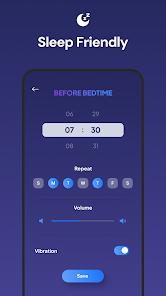
Smart reminders automatically silence themselves during the user's defined sleep window.
Broad beverage support allows users to accurately track the hydration value of coffee, tea, and juice.
Seamless integration with Google Fit and Samsung Health centralizes all wellness data in one place.
The "Water Fast" support provides specialized utility for users practicing intermittent fasting.
Cons
The free version contains advertisements which can sometimes interrupt the user experience.
Some users have reported bugs with the notification sound system, specifically regarding volume persistence.
Lock-screen notifications can occasionally prevent the phone screen from timing out, impacting battery life.
FAQs
It uses a calculator based on your weight, gender, and activity level to recommend a daily intake.
Yes, you can track juice, coffee, tea, and milk; the app adjusts the hydration value accordingly.
Yes, it includes a Wear OS version for quick logging and notifications.
The app offers cloud backup and states that no data is shared with third parties.
You can set your sleep hours in the "Reminders Settings," and the app will pause all alerts.
Hot Reviews
It uses a calculator based on your weight, gender, and activity level to recommend a daily intake.
Yes, you can track juice, coffee, tea, and milk; the app adjusts the hydration value accordingly.
Yes, it includes a Wear OS version for quick logging and notifications.
The app offers cloud backup and states that no data is shared with third parties.
You can set your sleep hours in the "Reminders Settings," and the app will pause all alerts.