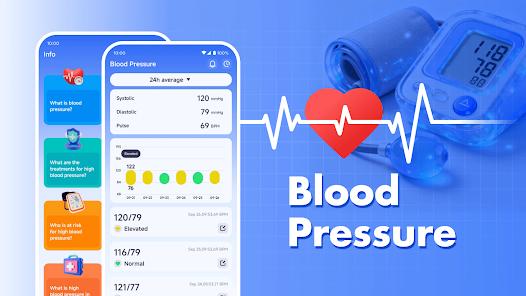
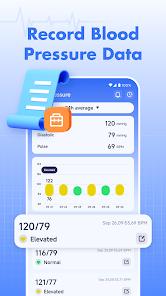
Blood Pressure Health is a specialized utility designed for individuals managing hypertension or those proactive about cardiovascular wellness. Unlike medical devices, this app doesn't measure blood pressure (which requires hardware like a cuff), but serves as a 'digital health diary' that transforms raw data into actionable insights. It organizes systolic, diastolic, and pulse readings into color-coded charts based on AHA (American Heart Association) guidelines.
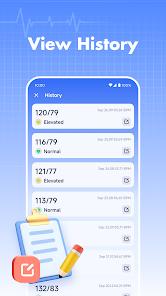
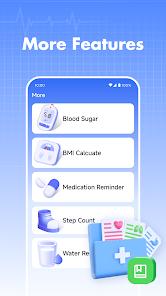
The app's functional breakdown includes a smart logging system, a heart rate analyzer via the camera lens, and a robust reporting engine. The logging system is particularly noteworthy for its 'Notes' feature, allowing users to tag readings with contexts like 'after exercise' or 'pre-medication.' The heart rate monitor uses PPG (Photoplethysmography) technology—the same found in pulse oximeters—to detect blood flow changes in the fingertip. Deep Insights: The real value of the BP app is not in the single reading, but in the 'Trend Analysis.' By visualizing data over weeks or months, users can identify patterns that are often missed in quarterly doctor visits. It acts as a bridge between the patient and the physician, providing a comprehensive PDF report that can be exported in seconds.
Pros
Clean, medical-grade UI that is easy for older adults to navigate.
Comprehensive PDF/CSV export for sharing with healthcare providers.
Instant heart rate measurement using the smartphone's camera.
Color-coded status indicators (Normal, Stage 1, etc.) for quick assessment.
Automatic backup of data to ensure history is never lost.
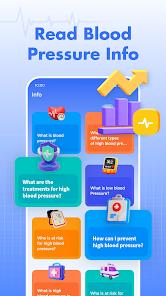
Detailed educational articles on heart health and diet tips.
Cons
Cannot actually measure blood pressure without an external cuff.
Subscription model for premium features like advanced analytics.
Heart rate measurements can be inconsistent depending on lighting.
FAQs
No, you must use a physical BP monitor and enter the results manually.
Yes, the app typically offers local storage and optional cloud encryption.
Use the 'Export' feature to generate a PDF summary of your trends.
Green is normal, yellow is elevated, and red indicates hypertension stages.
Hot Reviews
No, you must use a physical BP monitor and enter the results manually.
Yes, the app typically offers local storage and optional cloud encryption.
Use the 'Export' feature to generate a PDF summary of your trends.
Green is normal, yellow is elevated, and red indicates hypertension stages.