
Sololearn: Learn to code


Overview
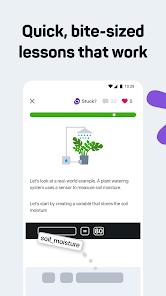
The mobile application Sololearn is a comprehensive educational platform designed to teach computer science and software engineering. It uses a mobile-first approach that breaks down complex coding topics into five-minute interactive micro-lessons.
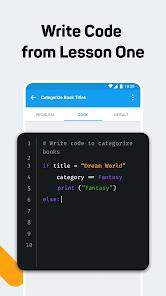
From an educational design perspective, Sololearn addresses the primary challenge of learning to code: transitioning from passive theory to active syntax execution. The app's curriculum structure requires active participation from the first screen. Lessons are structured as brief conceptual slides followed immediately by hands-on challenges, such as fill-in-the-blank exercises, code puzzles, and quick debugging tasks. This interactive approach helps build motor memory and analytical skills directly on the mobile interface.
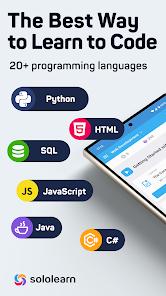
A key technical feature of the platform is its integrated mobile code editor and compiler. Rather than relying on simple text fields, the app features an input console that allows users to write and execute code across more than twenty programming languages, including Python, JavaScript, C++, Java, and SQL. The code is compiled remotely on cloud-based sandbox servers, returning execution outputs or error messages to the mobile interface within seconds. This setup eliminates the need for complex local development environment setups, allowing beginners to start writing real code instantly.
Key features of the platform include:
- Structured Career Pathways: Organized learning paths tailored for specific professional goals, such as Front-End Developer, Python Specialist, Full-Stack Developer, and Data Analyst.
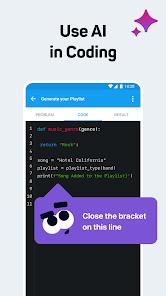
- Kodie AI Assistant: An integrated AI tutor that analyzes code submissions, explains syntax errors, and provides targeted hints to help users troubleshoot problems without giving away the answer.
- Built-in Code Playground: A social space where users can write scripts, share open-source projects, and review peer-reviewed code blocks directly in the app.
- Social Coding Challenges: Gamified coding duels and community challenges that encourage friendly competition and collaborative learning.
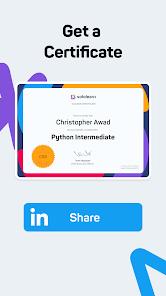
- Micro-Credentials: Digital course completion certificates that users can share to LinkedIn or add to their portfolios.
The application uses a freemium model. The free version provides access to core courses alongside ad-supported compile limits, while the premium subscription removes ads, unlocks unlimited code compilations, and provides advanced AI-driven lessons.
Pros & Cons
Extensive Language Catalog: Supports learning across more than twenty distinct programming languages, offering a highly versatile technical curriculum.
Integrated Sandbox Compiler: Allows users to write, run, and test code in real time without needing to set up complex local environments.
Structured Career Tracks: Clear, step-by-step pathways help guide users from programming basics to job-ready development skills.
Contextual AI Assistance: The built-in AI assistant helps users identify syntax errors and learn key debugging techniques.
Active Learning Community: A large built-in forum provides peer support, code-sharing opportunities, and collaborative challenges.
- ✕
Intrusive Post-Lesson Advertisements: The free version features frequent, unskippable video ads after lessons, which can interrupt study focus.
- ✕
Restricted Free Compiler Use: The free tier limits daily code compilation runs, requiring a premium subscription for unlimited testing.
- ✕
Limited Desktop Project Synergy: While excellent for practicing syntax on the go, the mobile editor is less suited for building larger, multi-file software projects.
- ✕
Paywalled Certifications: Course completion certificates are locked behind the premium subscription tier.
Download


FAQs
How does the app compile code on a mobile device?
Your code is not compiled locally on your phone. Instead, the app securely packages your script, transmits it to remote sandboxed servers for execution, and displays the console outputs or error messages on your screen.
Are Sololearn certificates accredited by educational institutions?
While Sololearn certificates are highly respected in the coding community and excellent for showcasing skills in portfolios, they are not accredited university credits.
Can I learn and practice programming offline?
You can read through some cached lessons offline, but compiling code and interacting with community forums requires an active internet connection.
Is the platform suitable for absolute beginners with no math background?
Yes, the courses are designed to start from scratch, assuming no prior programming or advanced mathematics experience.
Does the app support team or business accounts?
Yes, through partnerships like Goodlearn (developed with GoodHabitz), the platform offers scalable, enterprise-level AI and technology training.
Hot Reviews
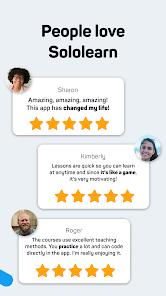
The bite-sized lessons make it easy to learn coding during a daily commute. Having a built-in compiler means you can test new syntax concepts right after reading about them.
While the educational content is fantastic, the frequency of ads in the free version is frustrating. The app shows unskippable video ads after almost every lesson.
The app is great for learning syntax and programming fundamentals. However, it doesn't teach you how to set up local environments, use professional text editors, or manage project repositories with git.
The AI assistant, Kodie, is incredibly helpful. Instead of just giving you the solution, it explains why your syntax failed, helping you learn how to debug code on your own.