Solitaire
Overview
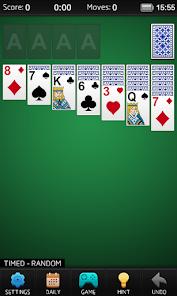
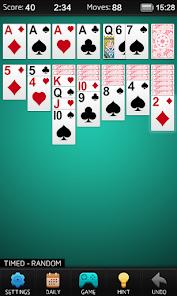
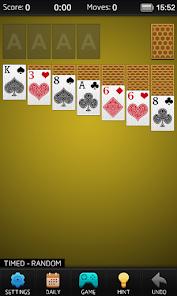
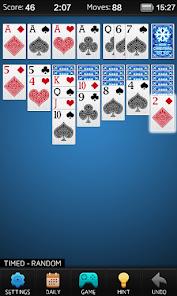
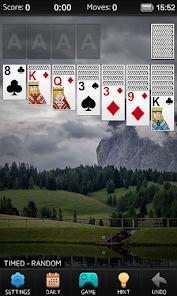
Mouse Games' Solitaire is a minimalist, ultra-stable digital adaptation of the classic Klondike card game, specifically optimized for older Android versions and devices with limited storage. Its core design philosophy is "pure gameplay," eschewing the heavy animations and social "bloat" often found in modern card apps in favor of a fast, offline-first experience. The application supports both Draw 1 and Draw 3 modes, adhering strictly to the 52-card pack rules where players must build four foundation piles from Ace to King.
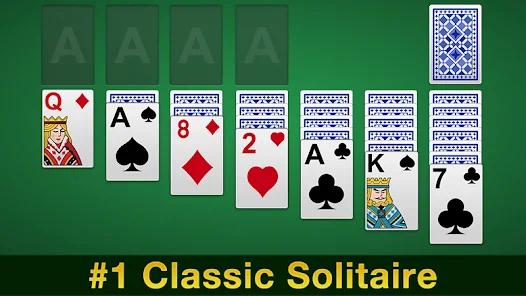
An insightful design feature of this specific version is its high-contrast "Senior Friendly" UI. The cards are large, the animations are functional rather than flashy, and the game includes an "Undo" button and a "Hint" system to assist players without time pressure. This has made it a favorite among seniors who value the mental stimulation of "Patience" games but find contemporary app interfaces overwhelming. Recent updates have added a "Statistics" feature—a long-requested tool that allows players to track their win rate and fastest completion times over thousands of games.
From a technical perspective, the app's "super small size" of approximately 12 MB is a masterclass in efficiency. It includes "conservative auto-play," which intelligently moves cards to the foundation only when it is guaranteed to be a winning move—preventing the common frustration where auto-play ruins a complex strategy. The game is fully playable without an internet connection, positioning it as a reliable "digital detox" tool for travel or long commutes.
Pros & Cons
The minimalist design and "classic" feel provide a nostalgia-inducing experience reminiscent of early computer solitaire, free from overstimulation.
Optimized for a "super small" build size, it is one of the most storage-efficient high-quality solitaire games available on the Play Store.
Full offline functionality ensures the game works perfectly in Airplane Mode or areas with zero connectivity.
The "conservative auto-play" feature is more advanced than competitors, making smart moves that don't block potential winning strategies.
Accessibility features, including large cards and simple tap-to-move controls, make it a premier choice for senior gamers.
Detailed statistics allow users to track their progress, win streaks, and speed across both Draw 1 and Draw 3 modes.
- ✕
The visual themes are relatively basic compared to "Aquarium" or "Farm" themed solitaire apps, which may feel dry to some users.
- ✕
While ads are less intrusive than in arcade games, they still appear between rounds, which can disrupt the "Zen" flow of a long session.
- ✕
Lacks the advanced "Daily Challenge" narrative found in Microsoft's version, focusing purely on individual random deals.
Download


FAQs
Is this version of Solitaire free?
Yes, the application is completely free of charge, supported by minimal advertisements between games.
What is the difference between random decks and winnable decks?
"Random decks" are true to life and may not be solvable, while "winnable decks" are pre-filtered to ensure there is at least one path to victory.
Does it support left-handed mode?
While this specific version focuses on minimalism, some updates have added the ability to adjust the draw pile for better playability.
Can I track my win/loss ratio?
Yes, the developer recently added a full "Statistics" dashboard where you can see your lifetime win rate and best scores.
Hot Reviews
"I'm a senior and I love it! It's easy to follow, the directions are there, and there's help if you need it. You can go at your own pace without feeling rushed".
Users consistently praise the app for being exactly what it claims to be. The absence of "bloat" and the simple, clean animations are frequently described as "the perfect way to unplug from overstimulation".