

Telehealth by SimplePractice is a single-purpose utility designed to provide a secure, high-definition video conferencing environment for medical and behavioral health sessions. While some general-purpose tools are often used for video calls, they do not inherently meet the strict HIPAA (Health Insurance Portability and Accountability Act) requirements for data encryption and privacy in the United States. This app is specifically built to fill that gap for solo and small-group practitioners.
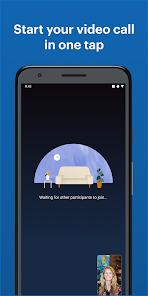
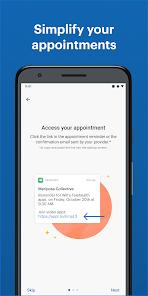
Technically, the app is characterized by its "Instant Join" architecture. Patients do not need a separate username or password for the video app; they join by clicking a secure, uniquely generated link provided by their clinician via the Client Portal or email. This significantly reduces the technical barriers for older patients or those in acute distress who may struggle with complex logins. The app uses optimized video codecs designed to maintain stability even on lower-bandwidth cellular connections, providing a "waiting room" experience that mimics a physical office.
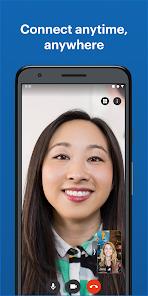
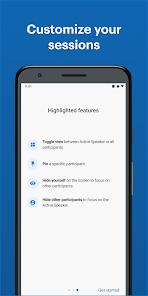
Despite its functional success, in-depth evaluation reveals several technical limitations in the mobile UI. The most prominent issue is the lack of "auto-rotate" support. The app is hard-coded for portrait (vertical) orientation, which can result in the clinician’s face being "cut off" if they are using a widescreen monitor. Additionally, while the app supports "Picture-in-Picture" (PiP), the floating window is often static and can obscure the main participant’s face, a significant drawback in therapeutic sessions where non-verbal cues are vital. SimplePractice has prioritized security and "one-click" access.
Pros
Guaranteed HIPAA compliance ensures that no third parties can intercept or record sensitive therapy sessions.
Zero-login requirement for patients makes it one of the easiest telehealth tools for non-technical users.
Consistent audio quality that prioritizes vocal clarity even when video frames are dropped.
Automated "Check-In" notifications alert clinicians the moment a patient enters the virtual waiting room.
Very lightweight app footprint that does not require extensive device permissions beyond the camera and microphone.
Integrated troubleshooting tools help users resolve local hardware issues (e.g., "microphone muted") mid-session.
Cons
Lack of landscape mode support forces a vertical view that is suboptimal for clinical observation.
Picture-in-Picture mode can be clunky and often blocks the view of the provider’s face.
Frequent "handshake" errors where the connection fails to bridge between the clinician and the patient despite both being online.
FAQs
While it works on cellular data, a stable Wi-Fi connection is recommended for high-definition video and to avoid audio delays.
No, SimplePractice does not offer a recording feature in the Telehealth app to ensure the highest level of patient confidentiality.
Ensure you have granted "Microphone" permissions to the app in your Android settings, and check that you haven't accidentally tapped the "Mute" icon during the call.
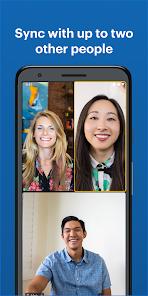
SimplePractice supports multi-way video for a limited number of participants, though performance is most stable in one-on-one sessions.
Blurry video usually indicates a "low-bandwidth" state. The app automatically lowers resolution to prevent the call from dropping entirely.
Hot Reviews
While it works on cellular data, a stable Wi-Fi connection is recommended for high-definition video and to avoid audio delays.
No, SimplePractice does not offer a recording feature in the Telehealth app to ensure the highest level of patient confidentiality.
Ensure you have granted "Microphone" permissions to the app in your Android settings, and check that you haven't accidentally tapped the "Mute" icon during the call.
SimplePractice supports multi-way video for a limited number of participants, though performance is most stable in one-on-one sessions.
Blurry video usually indicates a "low-bandwidth" state. The app automatically lowers resolution to prevent the call from dropping entirely.