
SimplePractice Client Portal
Overview
SimplePractice Client Portal is a HIPAA-compliant healthcare management interface designed specifically for patients and clients of practitioners using the SimplePractice professional ecosystem. SimplePractice is the dominant all-in-one EHR (Electronic Health Record) platform for solo and small group practices in behavioral health, speech-language pathology, and occupational therapy. The mobile portal serves as the "Digital Front Door" for a medical practice, centralizing administrative and clinical touchpoints.
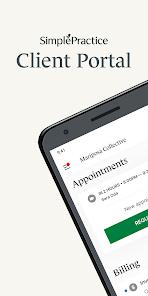
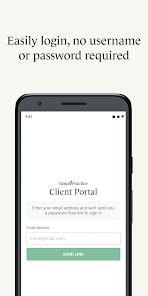
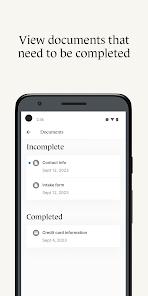
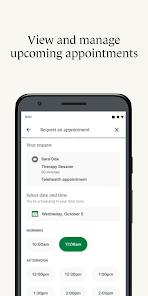
Technically, the app emphasizes "frictionless access" to care. This is primarily achieved through "Passwordless login," which utilizes secure one-time links sent to the client's email or biometric authentication (fingerprint/face unlock). This design choice is critical in mental health contexts, where reducing the cognitive load of remembering complex passwords can improve treatment adherence. Within the app, clients can manage the entire lifecycle of their care: they can complete intake paperwork, sign legal consent forms, view upcoming appointments, and request new sessions based on the clinician's live availability.
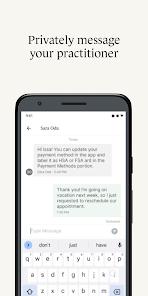
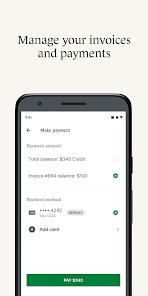
A significant feature is the integration of "Secure Messaging." Unlike standard SMS or email, which are not HIPAA-compliant, the portal provides an encrypted channel for discussing sensitive health information. Furthermore, the app integrates a payment gateway (powered by Stripe) that allows clients to add HSA or FSA cards and pay invoices directly from their phone.
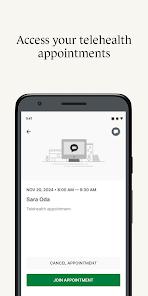
However, professional analysis of user feedback indicates that the app's reliability has fluctuated with recent Android updates. Following the release of Android 15, many users reported "something went wrong" errors and blank screens. Additionally, while the app facilitates telehealth, it often functions as a "launcher" for the specialized video app, creating a two-app requirement that some users find cumbersome. Despite these challenges, the app remains a critical tool for practitioners looking to professionalize their "solo practice" appearance and automate their billing workflows.
Pros & Cons
Full HIPAA compliance ensures that sensitive behavioral health data is never compromised.
Passwordless and biometric login provides high security without the frustration of traditional credentials.
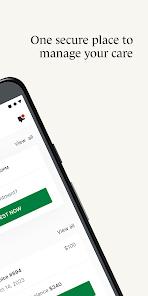
Comprehensive financial transparency allows clients to view all past invoices and current balances in one place.
Real-time push notifications ensure that clients never miss a session or a document request.
The ability to schedule or reschedule appointments without needing to make a phone call improves patient autonomy.
Centralized digital paperwork eliminates the need for physical printing or mailing of medical forms.
Highly professional user interface that reflects well on the clinician’s private practice.
- ✕
Frequent stability issues on newer versions of Android, leading to "blank screen" bugs.
- ✕
Limited functionality if a user is seeing multiple doctors who use different platforms; the app only supports SimplePractice clinicians.
- ✕
The removal of certain messaging features in recent updates has frustrated users who relied on it for quick updates.
Download


FAQs
Can I use this app if my therapist doesn't use SimplePractice?
No, this app is a proprietary portal that only functions for clients of practitioners who have an active SimplePractice professional subscription.
Is my information shared with my insurance company through the app?
The app itself does not share data with insurers, but your practitioner may use the platform's backend to file insurance claims on your behalf.
How do I join a video call from the app?
Within the "Appointments" tab, select your upcoming session and tap "Join Video." This will typically launch the Telehealth by SimplePractice app.
Why does it say "Something went wrong" when I try to log in?
This often occurs if there is a version mismatch. Ensure both your Android OS and the app are updated to the latest versions.
Can I manage my child’s appointments through my own account?
Yes, if your clinician has set up a "Guardian" profile, you can switch between your care and your child’s care within the same app.
Hot Reviews
Patients love that they can "complete paperwork and pay invoices" on their own time, noting that it makes the therapeutic process feel more modern and less bureaucratic.
A recurring theme in recent reviews is the "decline in quality," with users complaining about "constant error messages" and the app failing to load their schedule after a phone update.
Many users highlight the "availability to schedule appointments without calling the office" as the best feature, stating it removes a significant barrier to seeking regular care.