
Payoneer - Business Payments
Overview
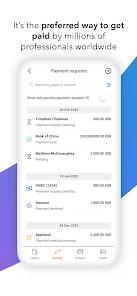
In a globalized digital economy, businesses and freelancers need efficient tools to manage cross-border payments. The Payoneer mobile app is designed to help small-to-medium businesses (SMBs), contractors, and online marketplace sellers manage international transactions.
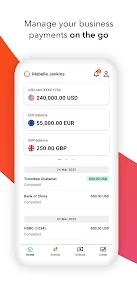
The platform supports payments and receipts across 190 countries and territories, allowing users to hold balances in popular global currencies like USD, EUR, GBP, JPY, and CAD.
As modeled in the formula above, the real cost of international transfers depends on both flat processing fees and exchange rate markups. Payoneer utilizes competitive currency conversion rates to help businesses minimize these transaction costs.
The application's key feature is "Local Receiving Accounts," which assigns users localized virtual banking credentials (such as ACH details for the US or an IBAN for Europe). This allows international clients to pay freelancers via local bank transfers, bypassing expensive wire transfer fees.
The app also connects directly with major e-commerce platforms like Amazon and Walmart, and features built-in tools for automated global VAT payments directly from the user's balance.
Pros & Cons
Local Receiving Accounts: Provides localized routing and bank details to help users receive fee-free transfers from international clients.
E-Commerce Platform Integration: Connects directly with major marketplaces like Amazon, Walmart, and Upwork for streamlined payouts.
In-App VAT Settlement: Allows users to make tax and VAT payments directly from outstanding balances.
Multi-Currency Holding: Supports balances and quick conversions across popular global currencies.
Comprehensive Invoicing Tools: Includes built-in billing features to help freelancers request and track client payments.
- ✕
Tedious Invoicing Documentation: Requires users to upload manual invoices and proof of business for small transactions.
- ✕
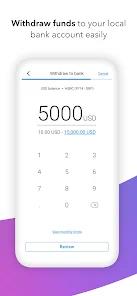
High Currency Conversion Spreads: Applies noticeable exchange rate margins when withdrawing funds to local bank accounts.
- ✕
No Support for Personal Transfers: The platform is strictly restricted to business transactions, prohibiting personal transfers.
Download
 Get it on Google Play
  Get it on App Store
 FAQs
How do Local Receiving Accounts work?
This feature provides localized virtual bank credentials (such as routing and account numbers) so international clients can pay you using standard local bank transfers.
Can I pay suppliers outside the Payoneer network?
Yes, Payoneer allows users to make secure payments to suppliers and contractors in over 200 countries.
Is there a mobile check deposit option?
No, Payoneer does not support standard consumer check deposits; it focuses exclusively on digital invoices and transfers.
Are there fees to hold multiple currencies?
In most cases, holding balances in supported currencies does not incur monthly maintenance fees.
Does Payoneer support Google Pay?
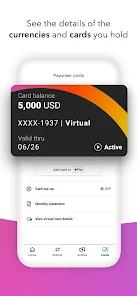
Yes, the virtual and physical Payoneer cards can be linked with Google Pay for in-store and online business purchases.
Hot Reviews
Users consistently praise the app's integration with major e-commerce platforms, noting that receiving automated payouts from Amazon or Upwork is highly efficient.
The ability to generate localized banking details is highlighted as a major benefit for freelancers working with clients in different countries.
A frequent complaint involves the documentation process, with users reporting that uploading invoices for minor transactions is slow and tedious.
Some reviews express frustration with the high fees and conversion margins applied when transferring funds to local bank accounts.