
Meta Horizon
Overview
Meta Horizon is far more than a simple companion app; it is the mobile operating system for Meta's VR ecosystem. Originally launched as the Oculus app, it now serves as the primary gateway for the Meta Quest 2, 3, and Pro headsets. The app's architecture is built to manage the entire "Spatial Life Cycle": headset configuration, 3D world exploration, social connectivity, and a high-fidelity game store.
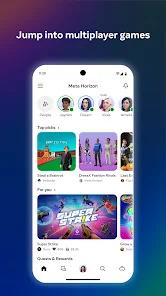
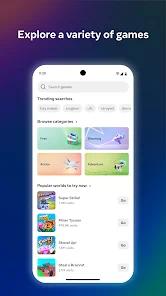
The functional disassembly of Meta Horizon reveals a massive shift toward the "Metaverse" vision. Users can explore "Endless Worlds" created by the community, ranging from role-playing games to virtual concerts, directly from their smartphones. The "Meta Hyperscape" feature is particularly advanced, allowing users to scan real-world locations and turn them into ultra-realistic virtual environments that up to eight people can visit simultaneously. This bridge between the 2D smartphone and the 3D headset is a critical piece of Meta's infrastructure, ensuring users stay connected to the VR ecosystem even when not wearing a device.
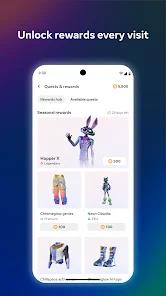
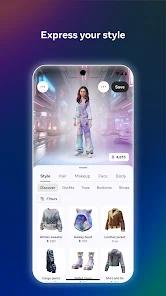
Strategic insights into the "Avatar System" show Meta's focus on digital identity. Users can customize a hyper-realistic or fantastical avatar that persists across all Meta apps (Facebook, Instagram, Horizon). This unified identity is the cornerstone of Meta's social strategy. However, technical performance remains a significant hurdle. Users consistently report that the app is "slow," with long load times for the media gallery and frequent syncing errors when downloading recorded headset footage.
Pros & Cons
Seamless remote management of Quest headsets, allowing for app installations and updates from anywhere.
The most sophisticated Avatar customization system in the VR industry, allowing for deep personal expression.
Provides free access to high-quality "Live Entertainment" including concerts, comedy, and sports without a headset.
"Meta Hyperscape" allows for groundbreaking real-world scanning and shared virtual exploration.
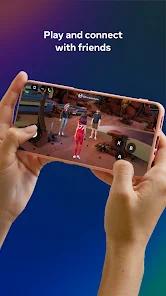
Integrated social tools make it easy to find and connect with friends across diverse virtual worlds.
Functions as a critical bridge for developers to showcase their VR titles to a 2D mobile audience.
Encrypted data transit and deletion request options provide a baseline of privacy for extensive social interactions.
- ✕
The application is frequently criticized for being "slow as sin," particularly during gallery syncing.
- ✕
Limited remote control over specific hardware settings; users often still need the headset to change advanced WiFi or audio settings.
- ✕
Technical glitches in the profile picture gallery can prevent users from updating their digital appearance.
Download


FAQs
Can I use the app without a Quest headset?
Yes, you can use it to watch events, explore community worlds on your phone, and manage your avatar.
How do I change my profile photo?
Tap your profile picture > View profile > Edit. If the gallery glitches, a reinstall is often required.
What is Meta Hyperscape?
It’s a tool that uses the Quest 3 sensors to scan your real room and turn it into a walkable virtual hangout for friends.
How do I sync my VR videos?
Videos must be "synced" from the headset's Files app; they then appear in the mobile app's Gallery tab.
Does the app support PCVR?
The app facilitates the "Meta Quest Link" and "Air Link" for connecting your Quest to a gaming PC.
Hot Reviews
The most consistent complaint is the time it takes to sync high-res video captures. Users often report that the app "hangs" during large file transfers, forcing them to use Google Drive as a workaround.
Regular users of "Horizon Worlds" appreciate the app's ability to browse world events (like Gordon Ramsay's kitchen or live concerts) before deciding to jump into VR. This discovery layer is highly valued.
Recent updates have moved some critical device settings deeper into sub-menus, leading to criticisms of a "counter-intuitive" user experience for people who just want to manage their headset.