KeyConnect Digital Car Key
Overview
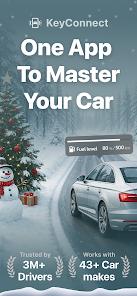
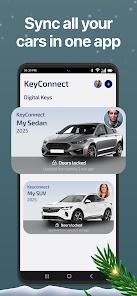
KeyConnect, developed by Apponfire Co. Ltd., is a high-utility application in the "Connected Car" segment. It is designed to act as a "Universal Digital Fob," supporting over 40 different car manufacturers, including giants like Tesla, BMW, Ford, and Toyota. The app's primary value proposition is "Consolidation"—it allows a multi-car household to manage all their vehicles from a single interface, rather than switching between multiple, often poorly designed, manufacturer apps.
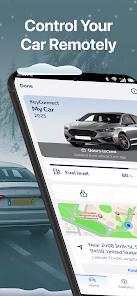
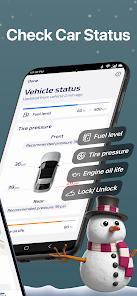
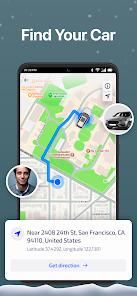
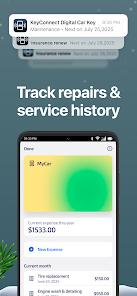
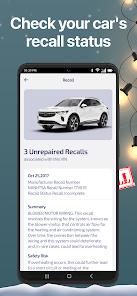
The "Function Disassembly" of KeyConnect reveals a dual-focus on "Remote Control" and "Vehicle Health". On the control side, it enables remote locking/unlocking and GPS tracking. On the health side, it acts as a "Diagnostic Dashboard," providing real-time data on tire pressure, fuel/battery levels, and oil life. A "Deep Insight" into this app's market strategy is its "Smart Maintenance" feature. By logging repair costs and service history, it transforms from a simple remote into a "Digital Logbook" that can significantly increase a vehicle's resale value by proving a consistent maintenance record.
However, KeyConnect operates in a "High-Friction Monetization" environment. While it offers a "Demo Mode" to explore features, most real-world functionality is locked behind a premium subscription ($49 - $69 annually). This has led to "Negative Feedback Loops" from users who feel that the app's compatibility claims are too broad, leading to situations where users pay for a subscription only to find their specific vehicle model doesn't support the "Remote Unlock" feature. Despite this, for owners of modern, supported vehicles, it represents the most comprehensive third-party car management tool on the Play Store.
Pros & Cons
Unrivaled Multi-Make Compatibility: Supports 40+ brands, making it the best choice for families with different car makes.
Comprehensive Vehicle Diagnostics: Provides real-time tracking of fuel, tire pressure, and oil health in an easy-to-read dashboard.
Secure Digital Key Sharing: Allows owners to grant temporary vehicle access to others via encrypted "Digital Keys".
Built-in Maintenance Log: Tracks service history and upcoming maintenance, helping to preserve the car's long-term value.
Emergency GPS Tracking: Helps locate the car in crowded parking lots or in the event of theft.
- ✕
Aggressive Subscription Model: Most core features require an expensive annual subscription before they can be tested.
- ✕
Inconsistent Model Compatibility: Some users find that older or specific trim levels of supported brands do not work with all features.
- ✕
Slow Customer Support: Recent reviews highlight difficulties in obtaining refunds or technical assistance from the developer.
Download


FAQs
Does it work with my 2018 Honda?
Most modern cars with connected services are supported, but you should use "Demo Mode" to verify your specific model first.
Is it safe to store my license in the app?
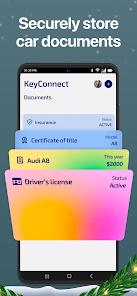
The app uses bank-grade encryption for "Document Storage," but you should always follow local laws regarding physical licenses.
Can I start my engine remotely?
Remote start is supported for specific manufacturers (like Tesla and BMW) that have the hardware for it.
How do I cancel my subscription?
You must cancel through the "Subscriptions" section of your Google Play Store account.
What is "Demo Mode"?
It allows you to see the interface and features without actually connecting a vehicle to the app.
Hot Reviews
I love having my insurance, license, and service records all in one place. Being able to check my fuel level from the breakfast table is a nice bonus.
The $50 annual fee is a lot, but it’s the only app that lets me manage my Tesla and my wife’s Audi together. It’s very convenient for our family.
Be careful! The app said it supported my Ford, but after paying for the sub, I found out I could only see the fuel level, not unlock the doors. Try to verify your model before paying.