Used Car Search Pro - iSeeCars
Overview
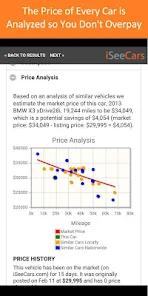
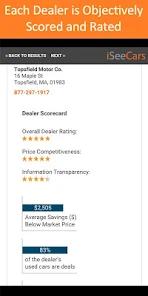
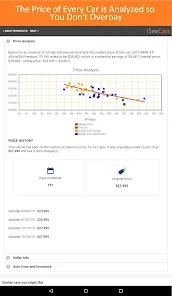
The Used Car Search Pro application by iSeeCars, is designed for analytical, data-driven automotive research. The platform processes more than 10 million pre-owned and certified listings daily across 40,000 dealerships and private sellers in the United States. Its core technical feature is an analytics engine that calculates the fair market value of listed vehicles. This engine compares vehicle pricing against localized market trends to protect buyers from overpaying. Additionally, the app rates dealerships on transparency, responsiveness, and price competitiveness, helping buyers identify reputable sellers.
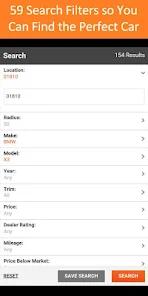
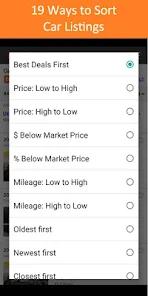
The application features 59 search filters to help users narrow down their options. Alongside standard criteria like price, body style, and transmission, iSeeCars offers a unique height filter.
This filter allows taller drivers to input their height and search for vehicles with adequate headroom and legroom. This feature resolves a common physical compatibility question during the online research phase.
However, the application has some structural limitations. It does not support direct, in-app vehicle listing or photo uploads for private sellers. To create a listing, users must navigate to the desktop or mobile web portal.
Additionally, setting up negative filters (such as excluding convertibles or automatic transmissions) can be complex. The filtering interface can also experience occasional glitches where broad search categories display unrelated vehicle body styles.
Pros & Cons
Dynamic Valuation Engine: Analyzes listings daily against regional market trends to identify competitive pricing.
Anthropometric Height Filter: Helps buyers filter vehicles based on interior cabin dimensions matched to their height.
Dealer Transparency Scores: Measures dealer responsiveness and pricing honesty to help buyers evaluate sellers.
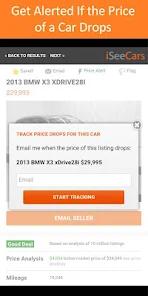
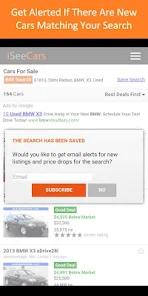
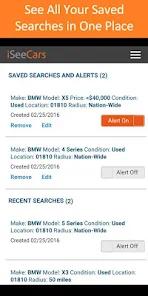
Account-Free Saved Searches: Allows users to track vehicles and save search configurations locally without requiring account registration.
Detailed Mechanical Filters: Includes advanced search options for specific trims, colors, and drivetrains.
- ✕
No In-App Seller Tools: Lacks options for private sellers to create vehicle listings or upload photos directly within the mobile app.
- ✕
Occasional Filter Glitches: Users report intermittent bugs where search filters fail, occasionally showing unrelated body styles.
- ✕
Complex Exclusionary Logic: Excludes specific trims or options through a less intuitive interface that can be hard to configure.
Download
 Get it on Google Play
  Get it on App Store
 FAQs
How does iSeeCars calculate a vehicle's fair market value?
The engine analyzes daily listings from local areas, establishing a baseline market value by comparing variables like year, make, model, trim, options, and mileage.
Can I list my personal vehicle for sale directly through this app?
No. The mobile application is built as a buyer's search tool. To list a vehicle and upload photos, sellers must use the desktop website.
Do I have to create an account to save vehicle searches?
No. The app allows users to save searches and track vehicles locally on their device without registering. An account is only required to sync data across multiple devices.
How does the app's height filter assist tall drivers?
The app matches the user's height against manufacturer cabin dimensions to filter out vehicles that lack sufficient headroom or legroom.
What data safety standards are supported by the iSeeCars app?
The application encrypts data in transit and supports user data deletion requests.
Hot Reviews
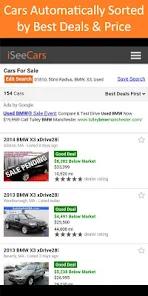
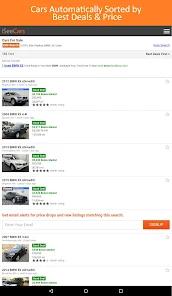
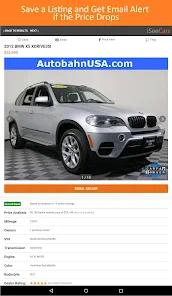
Buyers appreciate the "Below Market" and "Above Market" price badges, noting that these indicators make it easy to spot fair deals.
Users praise the unique height filter, noting that it quickly identifies vehicles with comfortable cabin dimensions.
Some reviewers note that search settings can occasionally experience glitches, displaying body styles that should have been filtered out.