
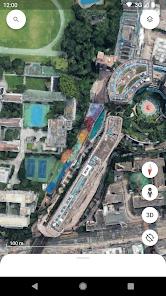
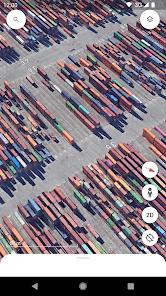
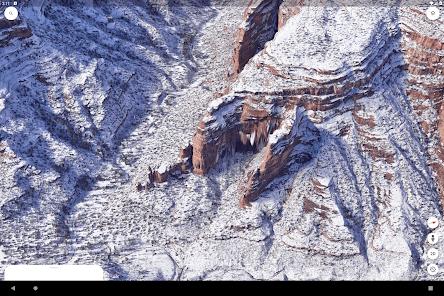
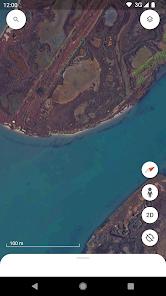
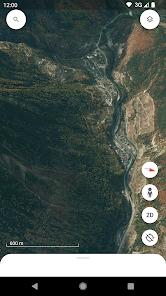
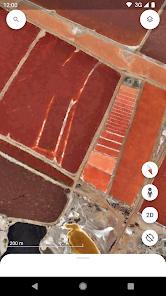
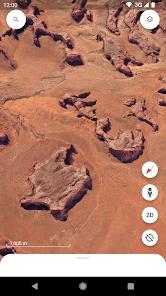
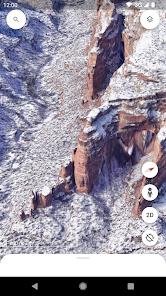
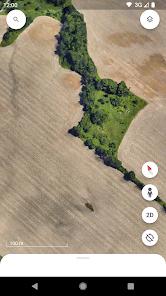
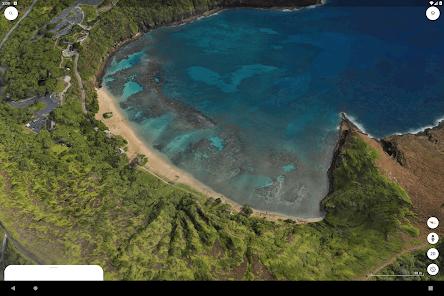
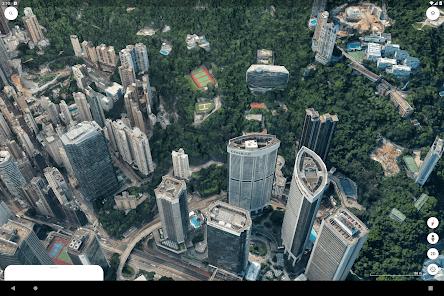
Google Earth is the most advanced consumer-grade geospatial exploration tool, offering a three-dimensional digital twin of our planet. The application serves as a bridge between professional GIS software and casual educational exploration. It utilizes massive datasets of satellite imagery and aerial photogrammetry to render 3D terrain and architectural models of hundreds of cities globally. Beyond simple observation, the mobile version has recently integrated sophisticated collaboration tools, allowing users to create and manage data-driven maps from anywhere.
The functional depth of Google Earth is best exemplified by its "Voyager" feature—a curated library of interactive stories that provide deep dives into ecological, cultural, and historical topics. The "Street View" integration allows for a ground-level, 360-degree perspective, making it an essential tool for trip planning and remote exploration. For professionals, the transition toward a mobile-first project management system is a significant shift, enabling the synchronization of geospatial data across mobile, tablet, and desktop environments. This evolution positions Google Earth as a storytelling platform rather than just a digital atlas.
Insightful analysis of the app's performance reveals a heavy reliance on hardware acceleration. The 3D rendering mode is particularly taxing on mobile processors, which can lead to application crashes on mid-range devices. Furthermore, there is a recurring user demand for an "offline mode," as many field researchers and travelers use the app in remote areas where cellular service is non-existent. Despite these technical bottlenecks, the app's ability to provide a "rain-falling" effect during storm views and high-fidelity textures makes it a singular tool in the travel and local category.
Pros
Unrivaled 3D visualization of global cities and geographical landmarks using high-resolution satellite data.
Interactive "Voyager" tours provide rich educational context on diverse global topics.
Seamless cloud integration allows for project collaboration across different devices.
High-fidelity "Street View" allows users to virtually walk through neighborhoods worldwide.
Advanced map customization tools, including the ability to add personal photos and data points.
Strong commitment to privacy, with no data shared with third parties and independent security reviews.
Innovative features like "Feeling Lucky" allow for the discovery of unexpected locations with a single tap.
Cons
High technical overhead can cause the app to crash or "quit" during intensive 3D navigation.
Absence of a comprehensive offline mode limits utility in remote wilderness or areas without cellular service.
Lack of an "Undo" button in the mobile project editor leads to accidental data loss during customization.
FAQs
Currently, Google Earth requires an active data connection to stream high-resolution imagery, though users have requested offline support.
Voyager is a collection of map-based stories and guided tours created in partnership with experts like National Geographic.
Users can enable the 3D mode by tapping the 2D/3D toggle button while zoomed into an urban area with 3D data available.
Yes, the "Projects" feature allows you to mark locations, draw lines, and add photos to create your own interactive maps.
Google Earth encrypts data in transit and follows strict privacy protocols, ensuring no data is shared with third parties.
Hot Reviews
Currently, Google Earth requires an active data connection to stream high-resolution imagery, though users have requested offline support.
Voyager is a collection of map-based stories and guided tours created in partnership with experts like National Geographic.
Users can enable the 3D mode by tapping the 2D/3D toggle button while zoomed into an urban area with 3D data available.
Yes, the "Projects" feature allows you to mark locations, draw lines, and add photos to create your own interactive maps.
Google Earth encrypts data in transit and follows strict privacy protocols, ensuring no data is shared with third parties.