
GEICO Mobile - Car Insurance
Overview
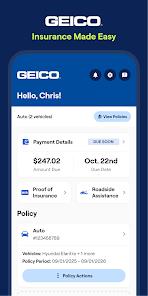
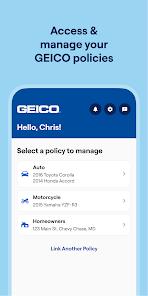
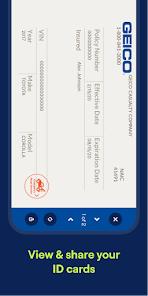
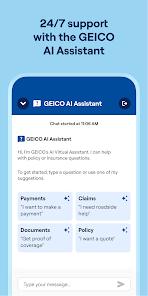
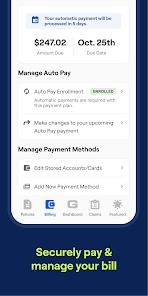
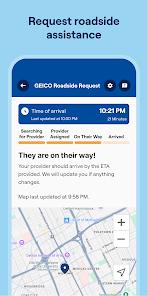
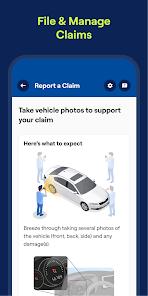
The GEICO Mobile application is a comprehensive platform for policy management, billing, and roadside assistance. The interface includes features such as digital insurance ID cards (with wallet support), simple bill payment options, claims management, a virtual assistant, and a vehicle maintenance tracker.
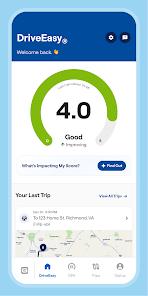
A major feature is "DriveEasy," GEICO's telematics program that tracks driving habits to award premium discounts. Similar to other telematics tools, DriveEasy runs in the background and uses device sensors to monitor driving behavior.
However, the DriveEasy integration has notable tracking issues. Users report being penalized for phone handling or hard braking when they are not driving (e.g., as a passenger, on public transit, or even while stationary inside a building). Furthermore, using GPS navigation systems like Google Maps can sometimes register as a driving infraction, lowering the user's safety score.
Performance issues also affect the app's overall usability. Memory management bugs can cause background crashes that disrupt other apps (including active maps) or trigger "App Not Responding" errors. The app also has trouble saving credentials, often requiring manual login even with the "Remember Me" option enabled. Additionally, frequent onboarding prompts force users to complete verification setups multiple times throughout the policy year. Lastly, under Google Play data safety compliance, the developer does not allow requests for account data deletion.
Pros & Cons
Integrated Digital Cards: Easy access to insurance ID cards with options to save them to system wallets.
Convenient Payments: Multiple payment methods and flexible billing schedules help keep payments on track.
Reliable Roadside Dispatch: Simple tap-to-request roadside assistance with automatic GPS dispatch.
Fast Claims Service: Simple claims workflow allows uploading photos to expedite repair estimates.
Helpful Vehicle Care: Reminders for active vehicle recalls and scheduled maintenance help keep cars safe.
- ✕
Inaccurate DriveEasy Tracking: Sensor errors often flag safe driving habits or non-driving activity as infractions.
- ✕
Unstable Login Caching: The app regularly forgets saved login credentials, prompting manual logins.
- ✕
Frequent App Crashes: Heavy background resource usage can trigger system slowdowns and navigation app crashes.
- ✕
No Option to Delete Data: Users cannot request the deletion of their account or telemetry data.
Download


FAQs
How does the DriveEasy program calculate user driving scores?
The program analyzes driving metrics like hard braking, late-night usage, and active phone screen interaction during trips.
Are digital insurance cards accessible when offline?
Yes, the app caches digital ID cards, making them available offline even without cellular reception.
Does using Google Maps while driving affect the DriveEasy safety score?
Some users have experienced phone-handling infractions when using navigation maps during active trips.
Can a user request that GEICO delete their collected telematics data?
No, according to the app's Play Store profile, data deletion requests are not supported.
How do users schedule repair services within the app?
The vehicle care section lets users find local certified mechanics and schedule service directly.
Hot Reviews
Background performance issues and crashes can disrupt navigation apps mid-trip, causing driving hazards.
The DriveEasy system often flags passenger activities or stationary phone usage as driving errors, lowering scores unfairly.
The application repeatedly prompts users to complete onboarding verification, sometimes over a dozen times a year.