
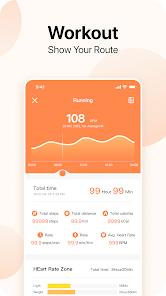
Da Fit is a specialized wearable companion application that acts as the software layer for a vast range of third-party smartwatches and fitness bands. In 2026, its technical framework is defined by its "Open Device Protocol," allowing it to synchronize data from hundreds of generic wearable brands into a single, cohesive health dashboard.
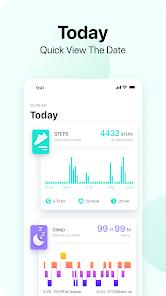
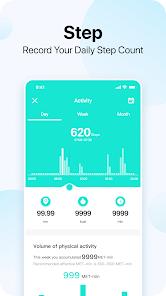
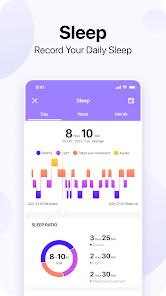
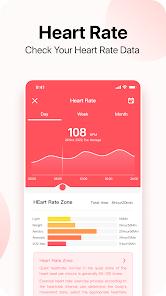
The functional disassembly of Da Fit reveals a comprehensive "Biometric Telemetry" engine. The app tracks seven core health sectors: Steps, Sleep, Heart Rate, Blood Pressure, Blood Oxygen (SpO2), and Outdoor Running. A key technical advantage is its "Intimate Sleeping Keeper," which uses the watch's accelerometer and heart rate sensor to provide a detailed score for restful, light, and REM sleep. It also includes a "Menstrual Cycle Tracker" and "Advanced Sports Modes" for over seven types of exercise, including badminton and basketball.
Deep insights into the app's utility highlight its "Customization Engine." Users can download thousands of watch faces or upload their own photos to create unique dials, a level of personalization often missing from more locked-down ecosystems. However, the app faces challenges with "Sync Stability"—particularly on Android devices where power-saving modes can frequently kill the Bluetooth background process, leading to missed notifications or lost step data.
Pros
Universal Compatibility: Works with a massive array of budget-friendly smartwatches that don't have their own dedicated apps.
Extensive Health Metrics: Includes advanced tracking for Blood Pressure and SpO2, providing a more comprehensive health picture than some basic competitors.
Unlimited Dial Customization: The ability to create custom watch faces with personal photos is a top-rated feature among users.
Robust Sleep Analysis: Provides a detailed breakdown of sleep quality and trends over weeks and months, helping users improve their rest.
Lightweight and Fast: The app is optimized for speed, maintaining a simple interface even when managing complex data sets.
Cons
Connection Stability: Users frequently report that the app loses connection with the watch, requiring manual restarts or re-pairing.
Intrusive Notifications: The app can send repetitive step-count messages every 10 minutes, which can be annoying if not turned off entirely.
Lack of Advanced Coaching: Unlike premium apps, it does not provide detailed workout plans or dietary integration with food apps.
FAQs
Open the app, go to the device section, and search for your watch via Bluetooth. Ensure your watch is on and not linked to another phone.
Yes, it supports data sharing with Apple Health on iOS devices, and similar health app integration on Android.
It provides an estimate based on pulse wave analysis; it should be used for trends rather than medical diagnosis.
Yes, when connected, you can use the watch's audio interface to play, pause, and skip music on your phone.
The app includes a "One-Click Upgrade" feature in the settings menu to keep your wearable's software current.
Hot Reviews
Open the app, go to the device section, and search for your watch via Bluetooth. Ensure your watch is on and not linked to another phone.
Yes, it supports data sharing with Apple Health on iOS devices, and similar health app integration on Android.
It provides an estimate based on pulse wave analysis; it should be used for trends rather than medical diagnosis.
Yes, when connected, you can use the watch's audio interface to play, pause, and skip music on your phone.
The app includes a "One-Click Upgrade" feature in the settings menu to keep your wearable's software current.